Crowdcast V3 is here 💫
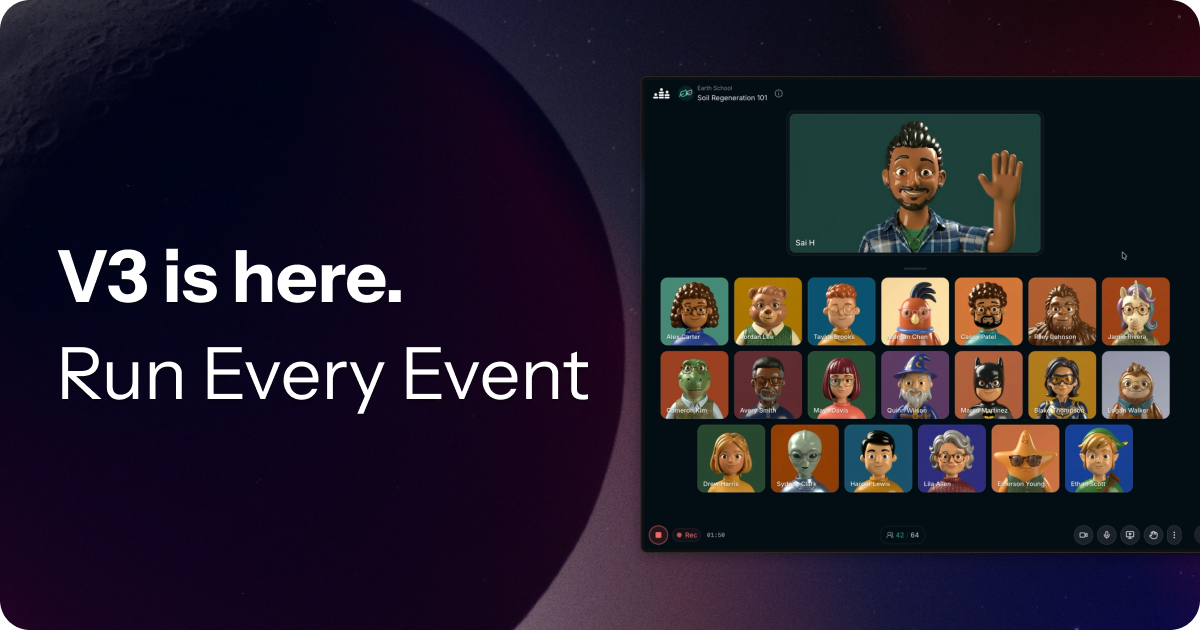
Run every event—without switching tools.
Today we’re rolling out a major update to Crowdcast.
Most teams today use multiple tools to run events—Zoom for meetings, webinar platforms for presentations, and streaming tools to go live. It’s fragmented, expensive, and hard to manage.
With Crowdcast v3, we’ve reworked the platform so you can handle all of it in one place.
Lean more about what's new
Interactive sessions, reimagined 💬
Have you ever wanted to see your audience’s faces but worried it would be too disruptive if everyone were visible and audible? We’ve made updates that let you host more collaborative, workshop-style events directly in Crowdcast.
- When you open the gallery to “Anyone” up to 20 people can flow right in with their camera and mics on (with support for 100 coming soon)
- You can now mute the whole gallery in one click to keep participants muted by default to avoid interruptions
- Resize the gallery tiles so everyone is larger and easier to see
- Click or drag any user to any position on the stage when you’re ready
- Attendees can raise their hand from the audience, gallery, or stage to indicate they want to speak, so hosts can quickly see who’s up next and manage the speaking order
This gives you real interaction—without the chaos of open mics.
Audience participation at scale ✋🏽
For larger events, you can now more seamlessly move attendees between the audience, gallery, and the stage.
- Instead of sending invites and waiting, hosts can now simply move attendees to the gallery or stage to invite them to speak. Attendees can still choose whether to enable their mic.
- When attendees raise their hand, we ensure their mic and camera are connected so they’re seen instantly once their request is accepted.
- It’s now easier to bring people on stage and manage chat comments or Q&A questions, making it easier to create engaging moments for attendees.
This makes it easy to run webinars, Q&As, and community events with more control.
A rebuilt stage for live production 🎬
We’ve completely redesigned the stage to make running events smoother and more flexible.
- You can now upload and manage your own videos and media directly in the studio
- Mark videos as intros, outros, or loops
- Switch between slides, videos, and screenshares with one click
- Minimize media or switch between the new focus modes quickly
- Brand your stage with animated backgrounds, up to 6 logos, plus padding and name tag visibility controls
- Search a library of over 1 million images and videos for your stage backgrounds, with the ability to customize blur and opacity.
- Trigger polished new animated overlays
You can now produce polished, live experiences—without needing a separate streaming tool.
What does this mean?
Crowdcast is no longer just for webinars.
You can now use it to run:
- Workshops and group sessions
- Webinars and presentations
- Multi-session events
- Livestreams
All in one place.
Crowdcast is still not designed to replace tools like Zoom for small internal team meetings.
But for everything else—from interactive sessions to large-scale events—it’s now a much simpler way to run your events.