Live captions are here 💬
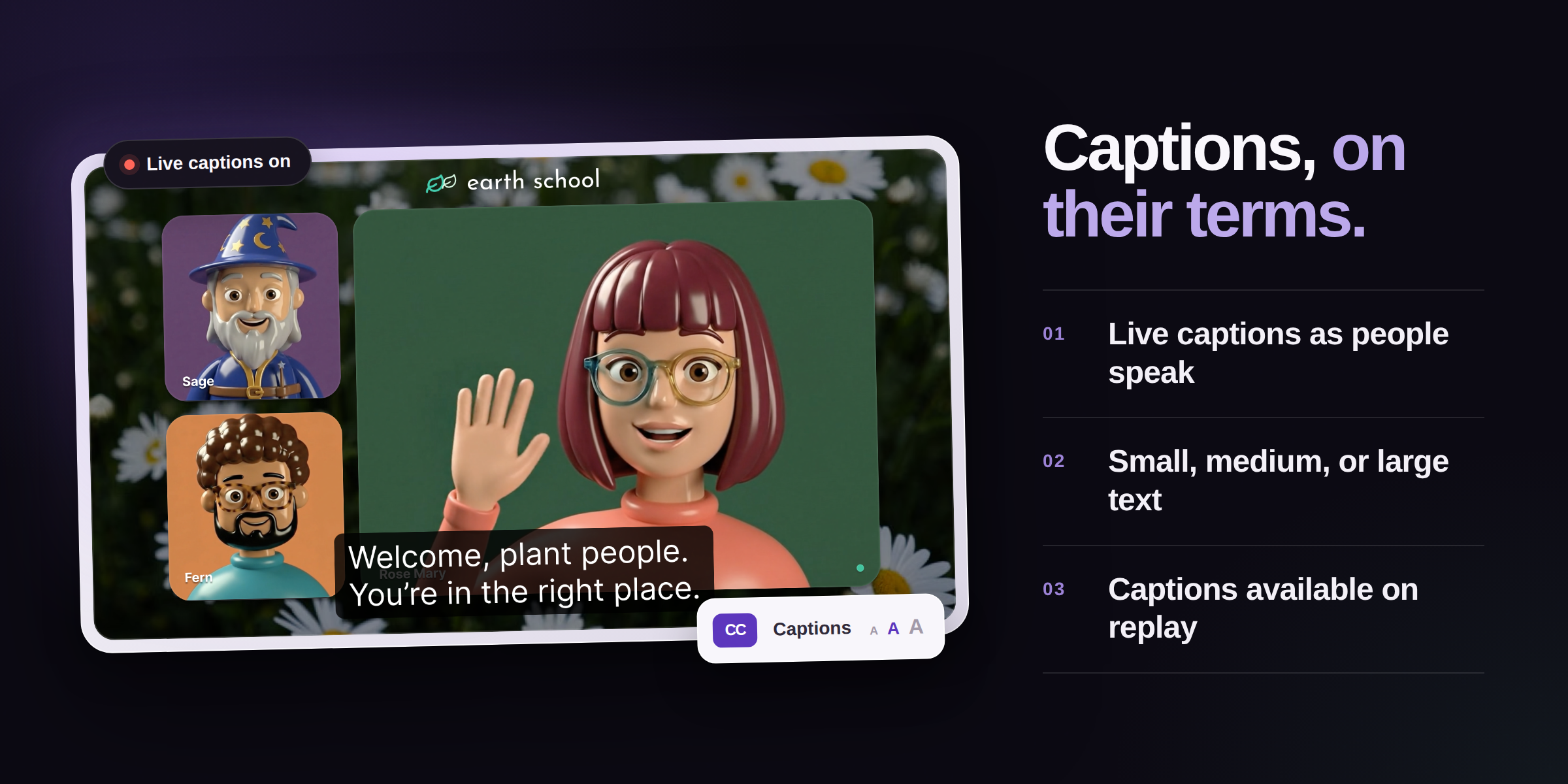
This release makes conversations easier to follow and gives hosts a faster, clearer path from setup to replay.
We have a new way to help more people follow every conversation. Automated live captions are now built into Crowdcast for hosts on Pro plans and above.
Whether someone is watching in a noisy space, keeping the sound low, or simply prefers to read along, captions make it easier to stay connected to the conversation.
Turn on live captions in three quick steps:
- Open the Go Live panel.
- Switch on Enable live captions.
- Confirm when you are ready to start your broadcast.
A CC indicator beside the live timer confirms that captions are running. Viewers can show or hide captions at any time, choose a small, medium, or large text size, and keep their preferred size for future viewing.
Organization owners and admins can also save captions as the default for future sessions. When captions are available in a replay, they appear automatically, and viewers can still turn them off whenever they like.
Try it out in a new event.
Automated caption accuracy may vary, so consider any additional accommodations your audience may need.
✨ Improvements
- Analytics has a refreshed, easier-to-scan design with clearer event performance, engagement, ticket sales and revenue, CTA activity, session timing, and top-contributor insights. Top contributors can also be exported as CSV.
- The event form is faster and clearer for editing schedules, sessions, video, multistream settings, and session tracks.
- Go Live now uses one confirmation with a clear recording toggle, making it easier to choose whether to record before starting the broadcast.
- Live playback now starts in low-latency mode and adapts more smoothly as connection conditions change. Viewer volume is preserved if the player refreshes.
🐞 Fixes
- Manually entered event times no longer shift unexpectedly while editing an event.
- Deleted sessions no longer affect event landing-page dates in multi-session events.
- Replays start more reliably while higher quality renditions are still processing.
- Participant names remain stable during stage moves, and the People tab is generally more reliable.
- Speaker role changes are scoped to the current session, preventing a change in one session from affecting another.
- Email-verification feedback is clearer and no longer causes distracting chat layout changes.
- Audience Bar and presence updates remain more accurate during large events.
- Hosts receive hand-raise alerts more reliably, and mobile speakers can move off stage without getting stuck.