Make it easier for attendees to get straight into the conversation. Quick Entry lets people register with an email and participate in your event without verifying that email first.
When you enable it, attendees can join the chat, ask questions, and vote in polls without leaving the event to look for a verification message.
To enable Quick Entry:
Open your event’s settings.
In Access, set Entry requirement to Email required.
Turn on Quick Entry.
Quick Entry is off by default, so you can choose the right setting for each event. Quick Entry is available for Email required events; ticketed and Patreon events keep their existing verification requirements.
Easier access to joined events — Attendees can see their own registered events in Joined Events before verifying their email, making it easier to find their way back.
Your participation setting stays with your event — The event editor preserves your choice when you save and revisit it.
🐞 Fixes
Improved camera-loading feedback when participants connect.
Fixed an issue that could prevent account settings from opening correctly on the www version of Crowdcast.
Live captions help people follow the conversation. Now you can make those captions more useful after the event, too.
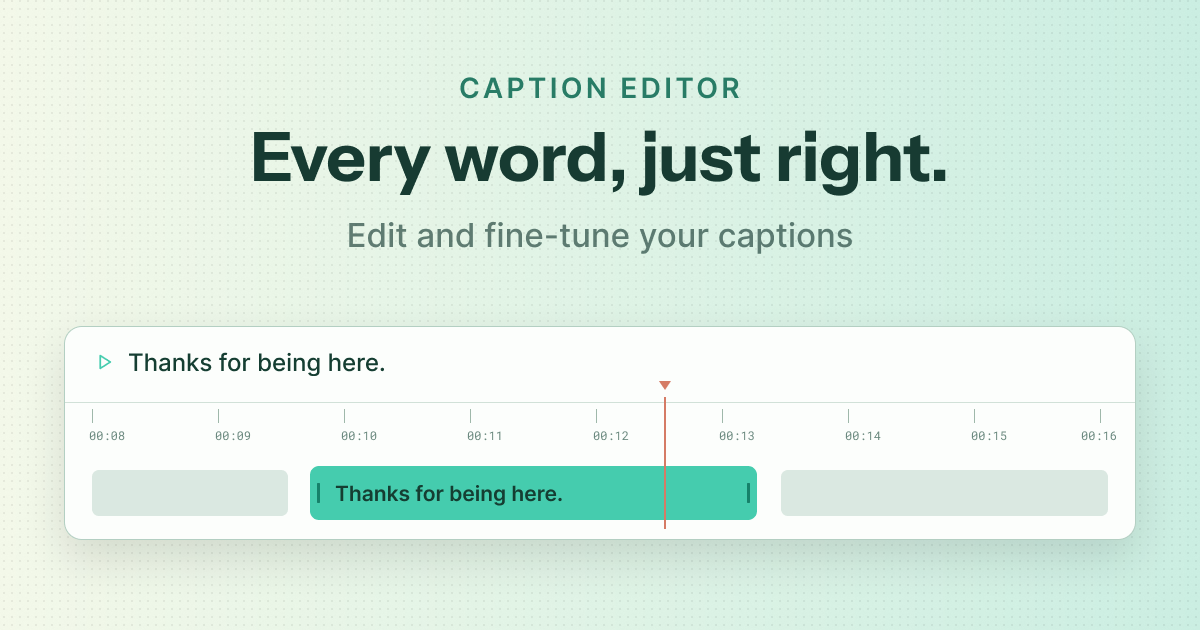
The new caption editor lets hosts correct generated captions on a replay, adjust their timing, and preview how they appear on screen before publishing the changes. Fix a name, tidy up a sentence, or fine-tune when a caption appears—all within Crowdcast.
You can also download captions as an SRT file to use with your video tools or as a starting point for summaries, follow-up materials, and other content.
To try it: Open a replay that was recorded with captions enabled, then choose Edit Captions or Download Captions from the Options menu.
✨ Improvements
Better follow-up from attendee exports — CSV exports now include columns for individual calls to action, so you can see which attendees clicked which offer or link.
A more consistent video player — Live events, replays, and clips now share a more consistent set of controls and playback behavior.
Easier sharing for password-protected events — Hosts can share an event link that pre-fills the event password for attendees.
Audio-only greenroom entry — Speakers can enter the greenroom without a camera.
🐞 Fixes
Fixed missing audio when trimming certain clips.
Turning captions off no longer interrupts live playback.
Replay controls fit more reliably on narrower screens.
Improved registration completion for free tickets and checkouts with no payment due.
This release makes conversations easier to follow and gives hosts a faster, clearer path from setup to replay.
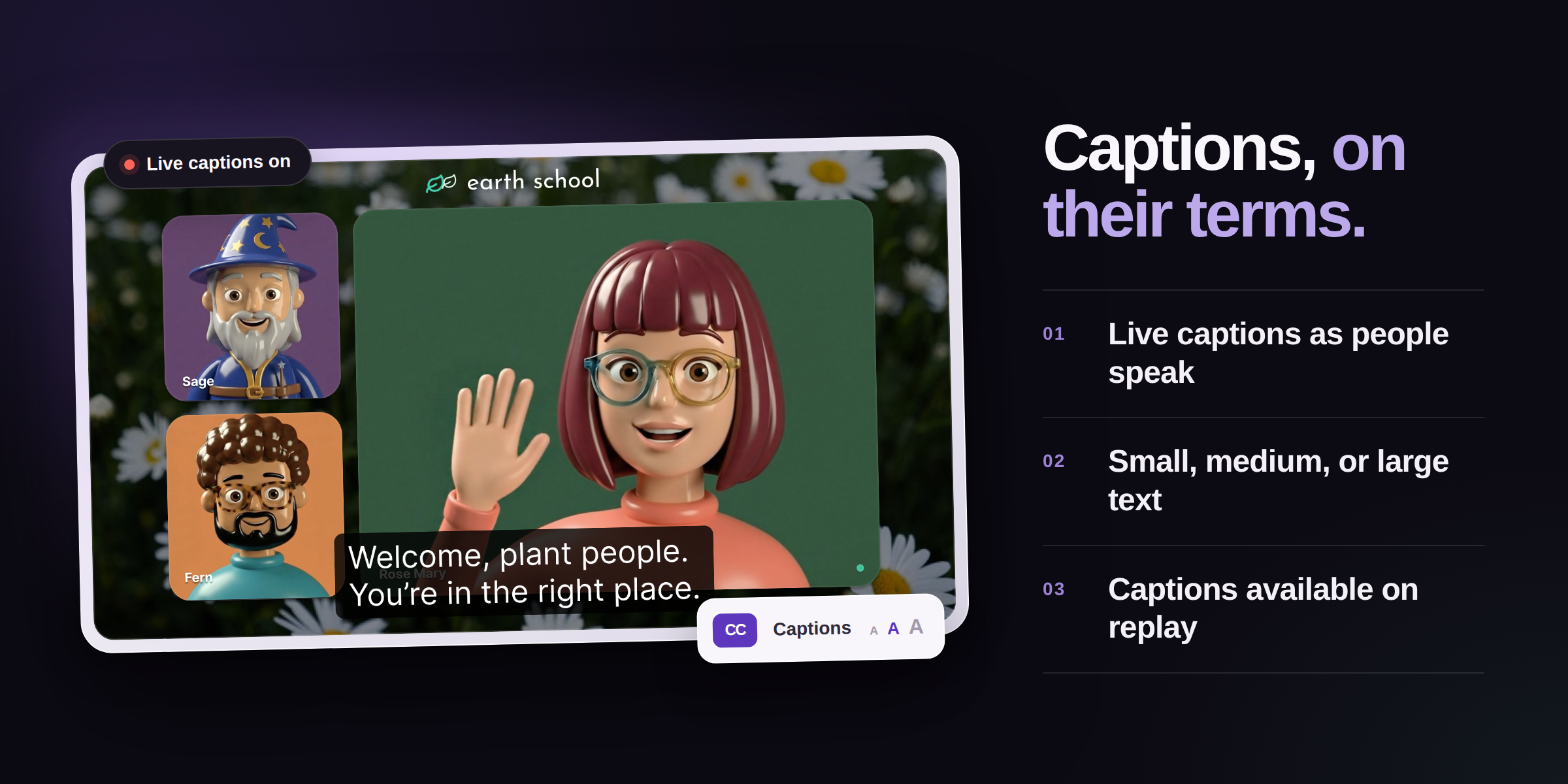
We have a new way to help more people follow every conversation. Automated live captions are now built into Crowdcast for hosts on Pro plans and above.
Whether someone is watching in a noisy space, keeping the sound low, or simply prefers to read along, captions make it easier to stay connected to the conversation.
Turn on live captions in three quick steps:
Open the Go Live panel.
Switch on Enable live captions.
Confirm when you are ready to start your broadcast.
A CC indicator beside the live timer confirms that captions are running. Viewers can show or hide captions at any time, choose a small, medium, or large text size, and keep their preferred size for future viewing.
Organization owners and admins can also save captions as the default for future sessions. When captions are available in a replay, they appear automatically, and viewers can still turn them off whenever they like.
Automated caption accuracy may vary, so consider any additional accommodations your audience may need.
✨ Improvements
Analytics has a refreshed, easier-to-scan design with clearer event performance, engagement, ticket sales and revenue, CTA activity, session timing, and top-contributor insights. Top contributors can also be exported as CSV.
The event form is faster and clearer for editing schedules, sessions, video, multistream settings, and session tracks.
Go Live now uses one confirmation with a clear recording toggle, making it easier to choose whether to record before starting the broadcast.
Live playback now starts in low-latency mode and adapts more smoothly as connection conditions change. Viewer volume is preserved if the player refreshes.
🐞 Fixes
Manually entered event times no longer shift unexpectedly while editing an event.
Deleted sessions no longer affect event landing-page dates in multi-session events.
Replays start more reliably while higher quality renditions are still processing.
Participant names remain stable during stage moves, and the People tab is generally more reliable.
Speaker role changes are scoped to the current session, preventing a change in one session from affecting another.
Email-verification feedback is clearer and no longer causes distracting chat layout changes.
Audience Bar and presence updates remain more accurate during large events.
Hosts receive hand-raise alerts more reliably, and mobile speakers can move off stage without getting stuck.
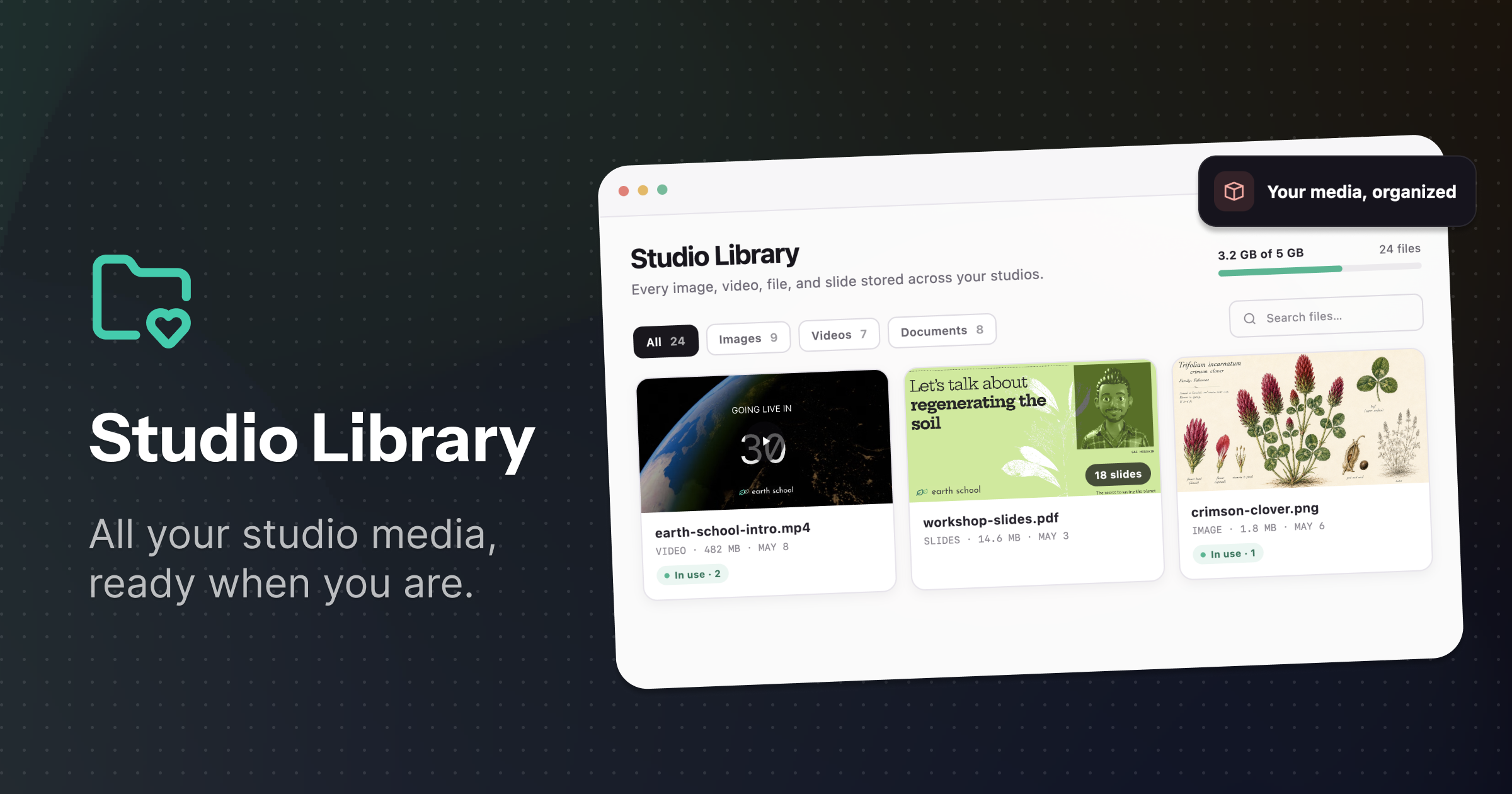
Studio Library brings every image, video, file, and slide stored across your studios into one organized place. Search or filter by file type, preview assets before using them, rename files, and see which events or templates they are already part of.
You can also remove files and studio templates you no longer need to free up space. A clear storage overview shows how much your organization is using and lets you know when it may be time to make more room or increase your storage.
✨ Improvements
Mark questions as complete without bringing them on stage.
See browser-specific instructions when camera or microphone permissions are blocked.
Switch between slides and screen sharing while presenting.
Toggle microphones more quickly and reliably.
Present videos using private Vimeo share links.
🐞 Fixes
Gallery-wide muting now applies consistently.
Slide state no longer resets unexpectedly when another host makes a change.
Speakers can upload slides as expected.
Participant roles remain easier to manage while new chat messages arrive.
Stage state stays in sync more reliably across hosts and speakers.
Microphone muting behaves more consistently for everyone on stage.
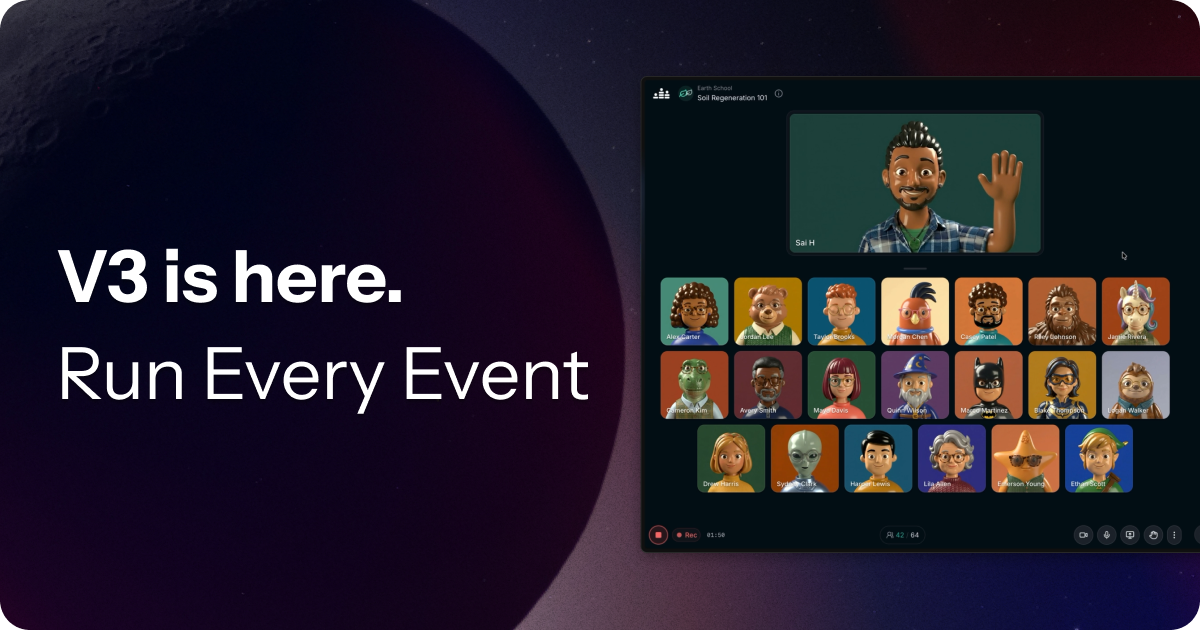
Today we’re rolling out a major update to Crowdcast.
Most teams today use multiple tools to run events—Zoom for meetings, webinar platforms for presentations, and streaming tools to go live. It’s fragmented, expensive, and hard to manage.
With Crowdcast v3, we’ve reworked the platform so you can handle all of it in one place.
Lean more about what's new
Interactive sessions, reimagined 💬
Have you ever wanted to see your audience’s faces but worried it would be too disruptive if everyone were visible and audible? We’ve made updates that let you host more collaborative, workshop-style events directly in Crowdcast.
When you open the gallery to “Anyone” up to 20 people can flow right in with their camera and mics on (with support for 100 coming soon)
You can now mute the whole gallery in one click to keep participants muted by default to avoid interruptions
Resize the gallery tiles so everyone is larger and easier to see
Click or drag any user to any position on the stage when you’re ready
Attendees can raise their hand from the audience, gallery, or stage to indicate they want to speak, so hosts can quickly see who’s up next and manage the speaking order
This gives you real interaction—without the chaos of open mics.
Audience participation at scale ✋🏽
For larger events, you can now more seamlessly move attendees between the audience, gallery, and the stage.
Instead of sending invites and waiting, hosts can now simply move attendees to the gallery or stage to invite them to speak. Attendees can still choose whether to enable their mic.
When attendees raise their hand, we ensure their mic and camera are connected so they’re seen instantly once their request is accepted.
It’s now easier to bring people on stage and manage chat comments or Q&A questions, making it easier to create engaging moments for attendees.
This makes it easy to run webinars, Q&As, and community events with more control.
A rebuilt stage for live production 🎬
We’ve completely redesigned the stage to make running events smoother and more flexible.
You can now upload and manage your own videos and media directly in the studio
Mark videos as intros, outros, or loops
Switch between slides, videos, and screenshares with one click
Minimize media or switch between the new focus modes quickly
Brand your stage with animated backgrounds, up to 6 logos, plus padding and name tag visibility controls
Search a library of over 1 million images and videos for your stage backgrounds, with the ability to customize blur and opacity.
Trigger polished new animated overlays
You can now produce polished, live experiences—without needing a separate streaming tool.
What does this mean?
Crowdcast is no longer just for webinars.
You can now use it to run:
Workshops and group sessions
Webinars and presentations
Multi-session events
Livestreams
All in one place.
Crowdcast is still not designed to replace tools like Zoom for small internal team meetings.
But for everything else—from interactive sessions to large-scale events—it’s now a much simpler way to run your events.
When you’re streaming via RTMP, knowing exactly how your stream is performing matters.
We’ve added real-time RTMP stream metrics directly into the live view, giving you instant visibility into stream health while you’re live. See resolution, bitrate, frame rate, and keyframe interval at a glance—so you can spot issues faster and stream with confidence.
These metrics are designed to help you understand what’s happening under the hood and stay in control during critical moments of your event.
💫 Events v3 is coming
We’re deep into work on the biggest update to Crowdcast yet: Events v3.
This release reimagines the Crowdcast event experience from the ground up. If you’re interested in shaping what’s next, we’d love your feedback as part of our upcoming beta.
New event navigation A cleaner, more intuitive event nav that works better across devices—especially on mobile.
Short event links Need to share your event on social or printed materials? You can now copy a short link directly from the Share menu.
Version update notices If you’re running an older version of the Crowdcast app, you’ll now see a prompt to update and get access to the latest features.
Privacy-first analytics We’ve replaced Google Analytics with Plausible as part of our commitment to user privacy.
🐞 Fixes
Non-admins can now correctly view plan usage details.
Fixed a rare issue that could cause a speaker to be unexpectedly removed from stage.
Chat reactions from banned users are now filtered out.
You may have noticed that when you go live now, there’s no longer a waiting screen after the countdown.
What seems like a small change on the surface is actually the tip of a major upgrade to our recording and streaming infrastructure. We’ve rebuilt it from the ground up to make going live—and staying live—more resilient than ever.
We know how important it is for your recordings to be stable and reliable, so this upgrade ensures that every moment you capture is safe, smooth, and secure.
✨ Improvements
Faster People Tab — We’ve made a major upgrade to how participants are managed during events, making the People tab significantly faster, more reliable, and ready to scale with your audience.
Chat UX Enhancements — We’ve fixed several long-standing quirks in the chat, including ensuring the emoji popover stays open while you’re choosing a reaction—no more racing the clock to add that perfect emoji.
🐞 Fixes
Fixed an occasional issue where the chat could become disconnected.
We’ve just made it easier for attendees to stay in the loop. Now, anyone who follows your channel or registers for your event will receive in-app notifications, making it even easier to jump right in when your event goes live.
This is the first step toward a brand-new real-time inbox for timely updates and notifications—more to come soon!
✨ Improvements
Significantly improved analytics performance for faster insights
Accelerated MP4 download speeds
Increased the stability of RTMP mode when connecting to streaming encoders
🐞 Fixes
Fixed a bug that prevented cohosts to edit a session simultaneously
Improved performance of the billing page
Resolved an issue that caused slow logout times from the app
We’ve added a Zapier trigger for new questions. Instantly capture questions asked during events. Easily export these questions to your preferred tools for follow-up and analysis.
We've introduced a new Zapier trigger for CTA clicks to automatically track attendee actions after they click your call-to-action button. Connect effortlessly with Shopify, Kajabi, Stripe, and more to monitor sign-ups, purchases, and conversions.
✨ Improvements
More robust and reliable stage tile management
Support for newly introduced gifted memberships on Patreon
You can now create and download clips from your events directly in Crowdcast. No need for additional editing software—just grab an MP4 and share it on your favorite social media platforms. This makes it easier than ever to repurpose the content from your live and past events.
You can also share direct links to your clips, which can help drive more registrations. To try it, visit one of your past replays, find a moment you want to share, and create a clip from the clips tab.
✨ Improvements
The speaker role is now assigned at the session level instead of the event level. This means that when a user is designated as a speaker, it applies only to one or more specific sessions, rather than to the entire event.
🐞 Fixes
Fixed an issue where sometimes a user would show up multiple times on people tab
Fixed in issue where opening the emoji picker would shift the event page up
Thanks to all our beta testers, we’re thrilled to announce that the Android app is here! Released quietly last week, it already has over thousands of users attending Crowdcast events. The design is sleek, and it’s faster than ever.
One unique feature of Crowdcast was the requirement for attendees to verify their email before registering for your events. This ensured that every registrant was a real person with a verified email, helping to prevent spam. However, this extra step sometimes led to users dropping off before completing registration.
With our latest update, we’ve found a better balance.
Now, new users are instantly registered for your event, but they must verify their email to interact during the event.
This approach offers the best of both worlds: higher registration rates, as users don’t need to check their email to sign up, while maintaining protection against spammy participants disrupting your events.
We’d love to hear your thoughts on this update and how it can improve your event experience!
✨ Improvements
Improved Custom Fields Form — There’s now a cleaner, more organized layout when guests fill out the form to register for events. The multi-select form element has been upgraded to allow guests to easily search through long lists.
V1 Event Import — Chat messages have now been imported along with V1 channel followers, ensuring a more complete transfer of event history.
🐞 Fixes
Fixed an issue where users on Starlink (satellite internet) were experiencing connectivity issues
For those hosts who have hosted events on our V1 platform, we’re happy to inform you that all your old events have now been upgraded to V2. Here’s what you can expect:
Events look identical — All imported events will appear just as they did in V1, now on the V2 platform. This means you’ll still be able to perform most of the same actions, such as exporting event data in CSV format and downloading event recordings in MP4 format. Attendees will have uninterrupted access to the events as they always have. Additionally, you will notice that those events and their event pages will now load much faster.
Updated URLs — You may notice that your event URLs now have a slightly different V2 format. Don’t worry, all V1 event links you previously shared will automatically redirect to the new V2 URLs, so there’s no need to resend them or make any changes on your end.
Pending data imports — We’re still in the process of importing some additional data. Specifically Q&A entries and analytics from V1 have not yet been transferred. Rest assured, we’re actively working on this, and it will be available. More info here.
✨ Improvements
New status page — We’ve upgraded our status page and alert system so that in the event of any issues with the platform you’ll now have realtime alerts while on the events page. View the new status page at status.crowdcast.io.
Multi-session lobby improvement — If you are delayed in going live in a session, that session will now continue being visible in the lobby for up to an hour to help attendees get to the right place.
Email templates updated — The email registration template has been updated to allow you use conditional logic to change the language for past events. The design has also gotten a refresh.
🐞 Fixes
Fixed an issue that prevented the custom registration form from showing right away after an attendee confirmed their email.
Fixed an issue where the following page wasn’t sorted correctly if a user followed many channels.
Fixed an issue where moderators and co-hosts not on stage weren’t able to unmute the stage.
Fixed an issue where login links weren’t working in some rare conditions.
Fixed an issue where custom fields weren’t getting passed into Zapier integrations.
You may have noticed a new animated countdown when your event goes live. While it seems like a small change, it reflects a major upgrade to our underlying recording and broadcasting infrastructure.
Previously, our system worked well in most cases, but there were rare instances where the first few seconds—or even minutes 🙈—of a recording would be missing.
We understand how important your recordings are, so we’ve completely re-engineered the ‘Going Live’ process. Now, the recording will always start precisely when the countdown ends, ensuring that no moment is ever missed.
✨ Improvements
The help button shows a new streamlined menu to quickly search the docs, message the team, or see the latest updates.
Improved the onboarding experience for new hosts
🐞 Fixes
Fixed issue where some users couldn’t access the billing portal
Fixed an issue where the scheduled time would update when a teammate from another timezone edited the event
Fixed an issue where the stage tile layout would sometimes stop updating
Fixed an issue where the chat would stop updating in higher scale events
Fixed an issue where the youtube video sharing stopped working due to some changes on the youtube api
Fixed a short-lived issue preventing videos from playing on the iOS app
Wouldn’t it be great if your attendees automatically received a calendar invite for your events? And what if their calendar stayed up-to-date even if you rescheduled?
Well, now it does.
When attendees register for your events, they’ll automatically receive a calendar invite.
‘But what if I’m hosting a multi-session event?’
Good question! By default, multi-session events will send calendar invites for each session. However, you can choose to send just one invite for the entire event or none at all.
This update provides another way to remind your guests, helping increase your show-up rate.
Let us know your thoughts and any feedback!
✨ Improvements
The v2 Zapier integration is now the primary one — You no longer need to be invited to the Zapier integration to use it and no longer need to juggle the “v1” vs the “v2” apps. The previous integration is now labeled “Legacy”. We encourage you to update your Zaps to use the new default app.
Improved the performance of the audience bar in large events
Audiences can now be hidden in the lobby
Improved the video quality for videos shared via youtube
The share modal is now visible to hosts on unlisted events
🐞 Fixes
Re-engineered the people tab to be more performant.
Over the past few weeks, we’ve polished every aspect of Crowdcast— from the event page to dashboards, analytics, and settings. We’ve also added some delightful new interactions along the way.
Here are some highlights:
The studio tab has a fresh new look, and now animations highlight actively shared elements like slides, videos, titles, and questions.
Chat actions are now simpler to use.
It’s easier to manage audience roles and stage invites
The audience bar makes it clearer who is actively watching.
The billing & usage page is streamlined for easier navigation.
Attendees can now change their email more easily.
The CTA buttons now have subtle animations to bring the attendees focus to it.
We’re rolling these updates out gradually. Once you see them, let us know what you think!
✨ Improvements
Better react-mojis in chat
Improved the performance of switching tabs in the event
The replay recording is now cleaner (we removed audio and signal indicators) and has a new intro slide
The custom fields form is more clear about what data is included by default
The event landing page has an animated CTA button to help increase the registration rate on your events
Renamed “Studio sound” to “Music mode” to make it more clear what it’s used for
🐞 Fixes
Fixed an issue with the checkout flow for free tickets on mobile
Fixed an issue affecting push notifications on the beta android app
We’re excited to announce that our Android app is ready for testing! If you have an Android device, we’d love to invite you to join us and be one of the first to try it out.
Your feedback is incredibly valuable as we fine-tune the experience. Message us at [email protected] to try it out early.
✨ Improvements
You can now share Youtube videos in a cleaner way without the Youtube branding. 📼
Moderators now see the realtime stage, the same as the co-host.
Hosts can now pass a coupon code into the event landing page like so crowdcast.io/c/my_event?coupon=MYCOUPON
🐞 Fixes
Fixed an issue that prevented guests joining the stage if “open stage” was enabled.
Keep consistent playback speed on RTMP mode events
Fixed issue with tracking event registration analytics
Fixed an issue that prevented the studio videos from sometimes loading
Improved audio quality for Studio Sound (aka Music Mode)